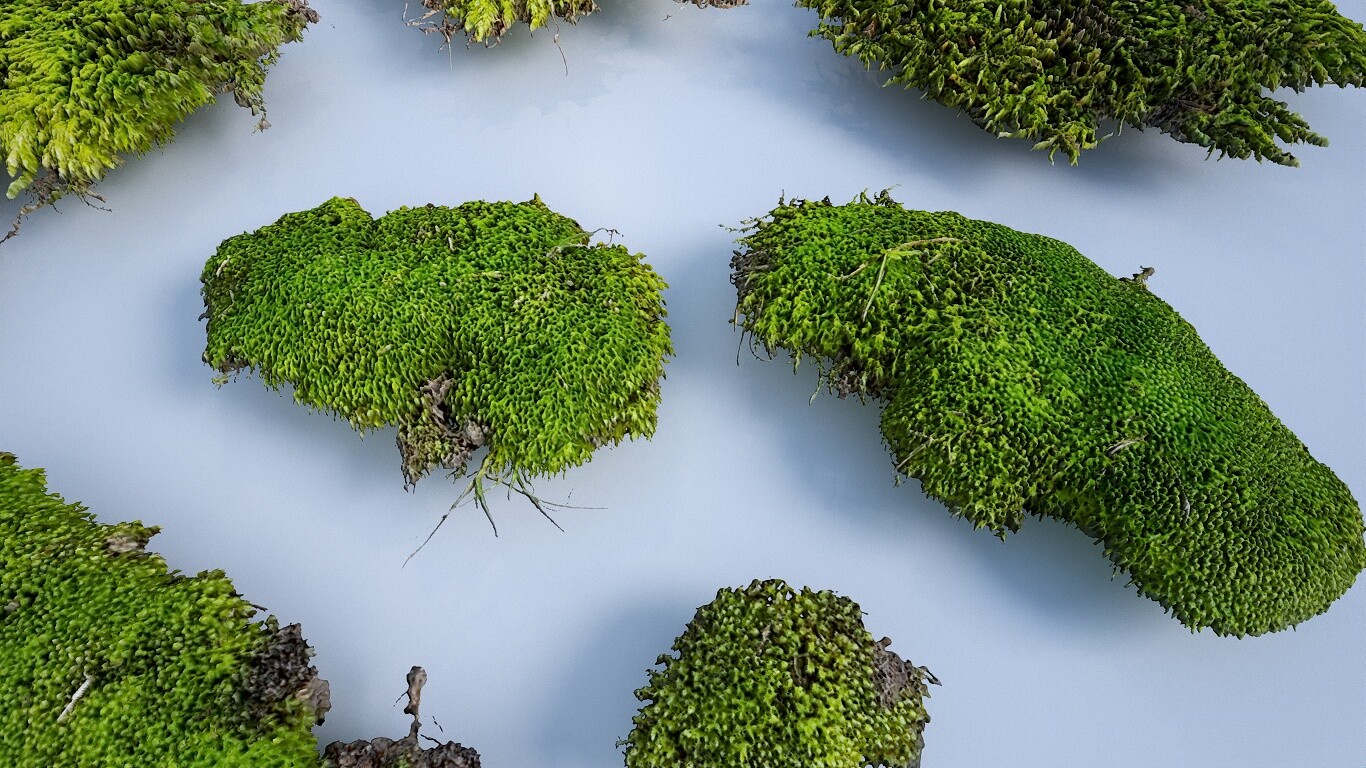
Material Scanned Moss Atlas
I've been doing more and more multi-angle capture or material scanning lately, and decided to do a breakdown of my current process.
The basic process I use is outlined here : https://creativecloud.adobe.com/cc/learn/substance-3d-designer/web/your-smartphone-is-a-material-scanner?locale=en
Instead of a separate backlit box for translucency, I have an old monitor that essentially is the "scan bed" and arrange the pieces of moss on it within a square and with a color-checker on the edge, with the monitor off and providing a black background. I then take 8 pictures while moving a light source in 45 degree angles increments. Then, I turn off all the lights and turn on the monitor displaying an all white image, in order to to get translucency or subsurface scattering textures. That same image can most often be turned into a base for the alpha cutout as well, using photoshop's "posterize" with a level setting of 2. While it's not always perfect, it definitely can save time as opposed to manually drawing in the entire cutout.
I'll typically take a fully lit image and sometimes 4 or 8 backup images with the monitor/backlight on and moving a light source in 45 or 90 degree increments, depending on the subject. These are all fed into Substance Sampler to generate the initial base maps. Another helpful method I've stumbled across is taking these 4 or 8 images with both backlit and angle-lighting and layering them in photoshop using the "lighter color" layer blend setting, then adjusting the levels and blending the result into the translucency or sss map. Capturing translucency with just the backlight will get good color details around the edges and silhouette, but adding in this second approach helps build out a realistic scattering color across the whole surface.
With this atlas specifically, I wanted to make a basic model for the moss clumps and use the height displacement as a starting point. As the results from sampler were subpar, I brought the height map into Zbrush and manually drew and rebuilt it. It's also helpful to take the blue channel from the normal map and blend that into the heightmap. Ultimately, the final heightmap is about 75% manually redrawn, 25% using the sampler-generated height and blue channel from the normals.
I also made a fuzz map, using the methods found here : https://marmoset.co/posts/how-to-create-realistic-hair-peach-fuzz-and-eyes/ Finally, I baked the corrected height out to geometry, and separated and tested the pieces within Maya. I render most of my atlases in Marmoset Toolbag.